

How to Create an Inference Point on AmniSphere Web
Navigate to the Inference Point Management Tab
After logging in using your Amniscient credentials, navigate to the API Integration tab. The Inference Point Management sub-tab is where you can generate and manage inference points for your organization.
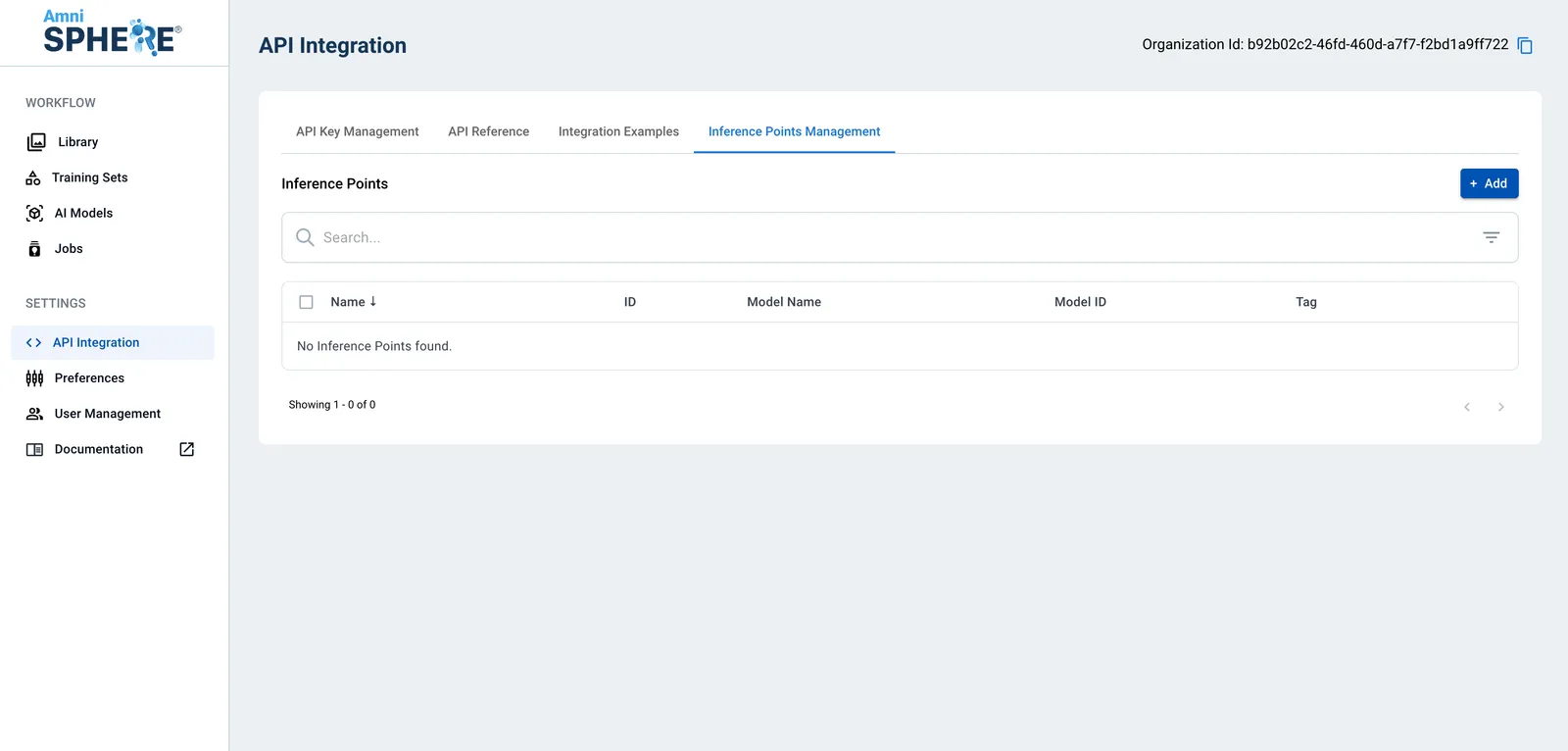
Create Inference Point
Click on the “Add” button in the top right corner. Enter a unique name for your inference point and the active API key you would like to be associated with this inference point.
If you already know which active AI model you’d like to associate this inference point with, select it from the “Model Name” dropdown. Inference points can be created without associating them to an AI model initially, so if you’d like to do this later see our guide on assigning inference points to AI models. Optionally, add a tag value that will allow you to easily filter inference points that may be related to each other.
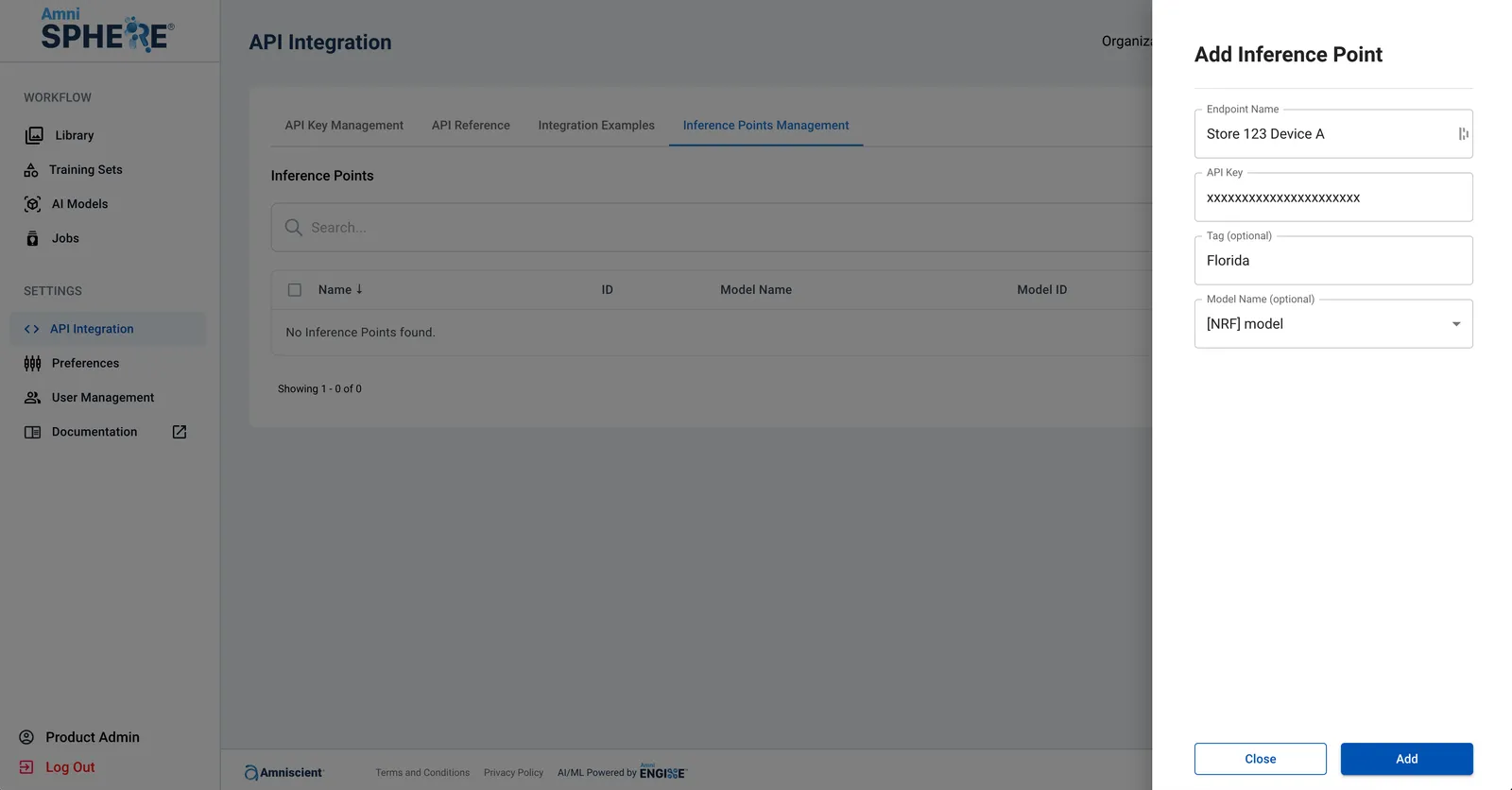
Once you’ve entered in the necessary details for your new inference point, click on the “Add” button. Your new inference point will immediately be created and available to use within the Inference Point Management tab.