

How to Add a User on AmniSphere Web
Navigate to the User Management Tab
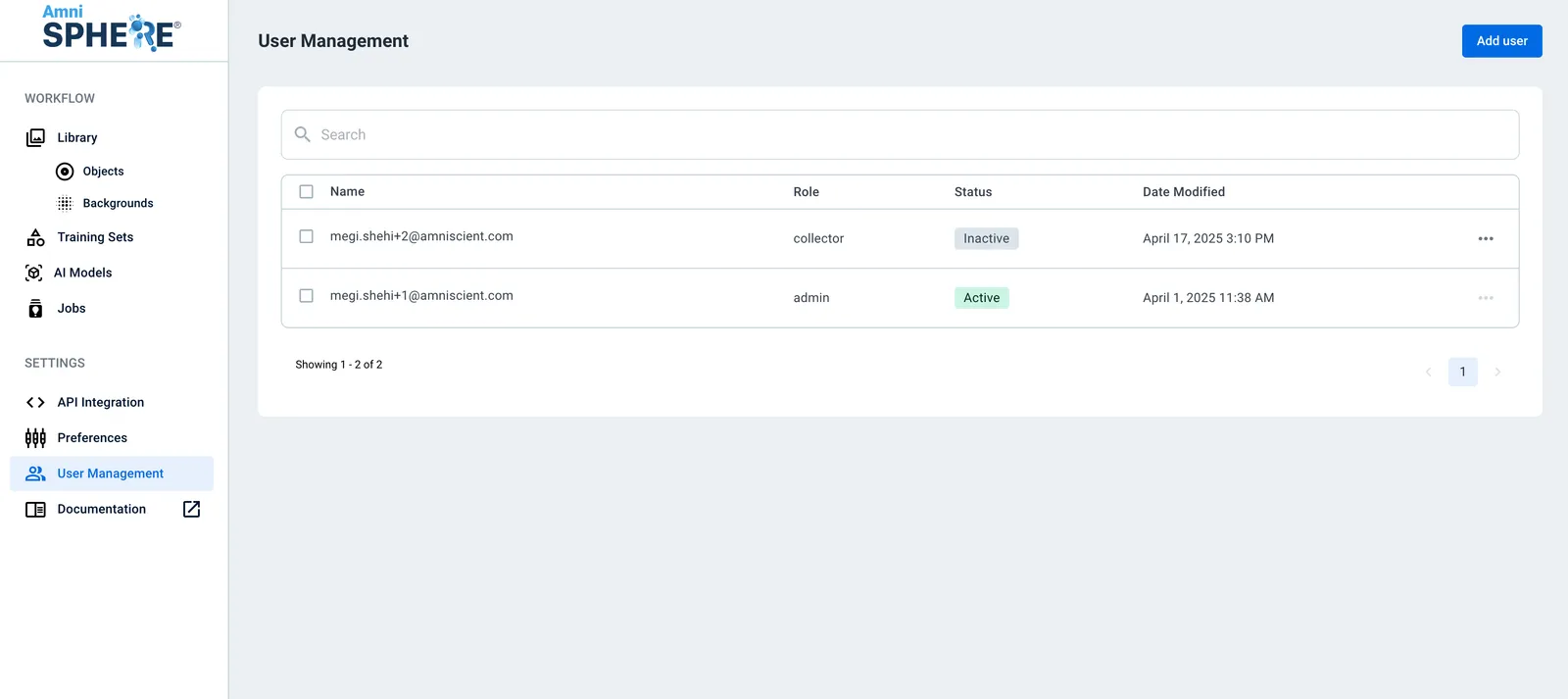
After logging in using your Amniscient credentials, navigate to the User Management tab. Make sure you are logged in to an account with Admin or Data Manager permissions.
Add a User
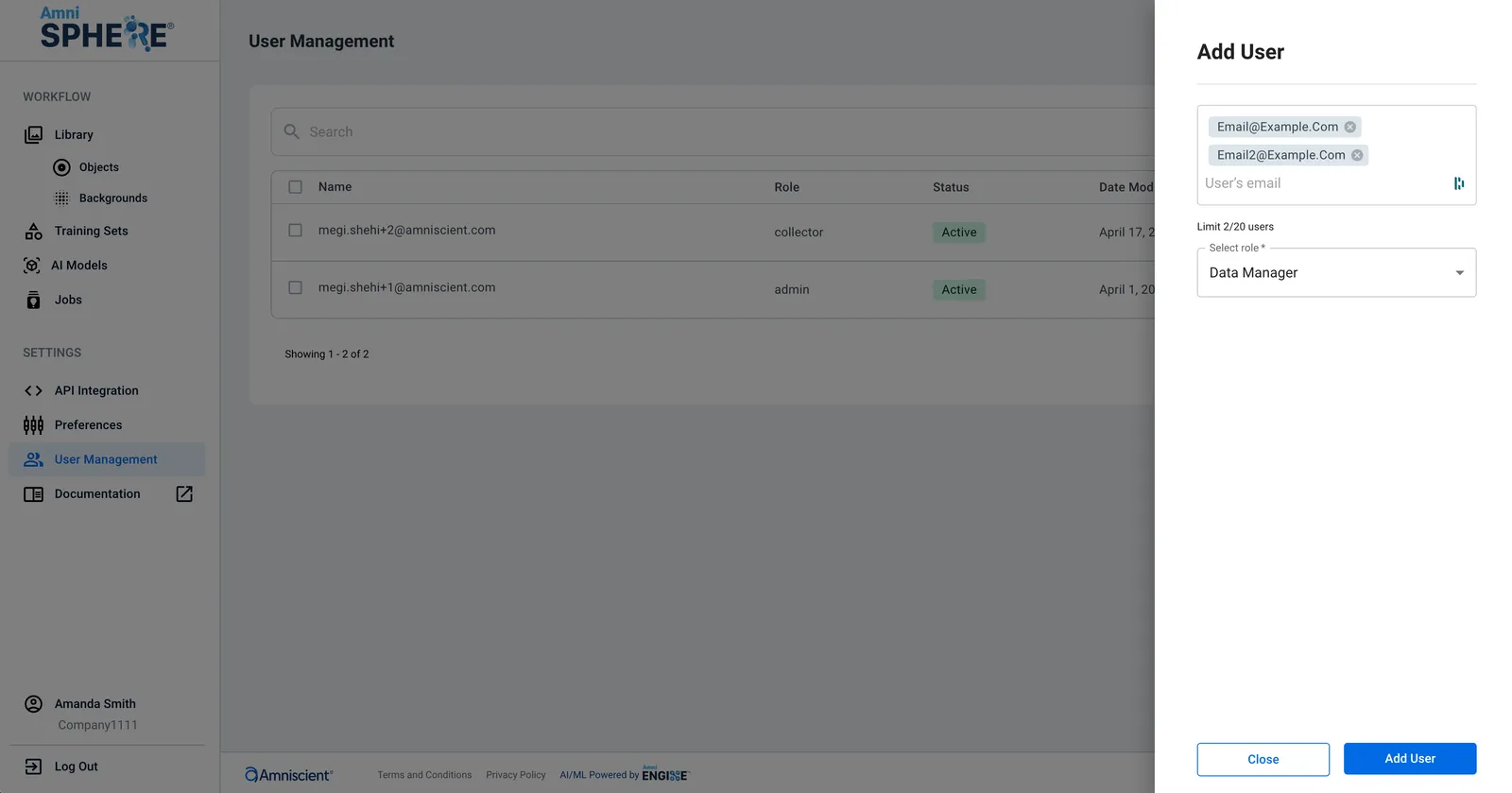
Click on the “Add User” button in the upper right corner. Enter the email address of the user you’d like to add and the role you’d like to assign to the user. You can also enter up to 20 email addresses at once to add multiple users with the same role at once. When entering multiple email addresses, make sure to hit “Enter” between each valid email address.
Invite User
Click on the “Add User” button at the bottom of the screen to send an email invitation to the new users you’ve added. Each user will need to complete their account creation via a link sent to their email address. Once they’ve completed their account creation, they will be able to access the AmniSphere platform according to the role assigned to them.