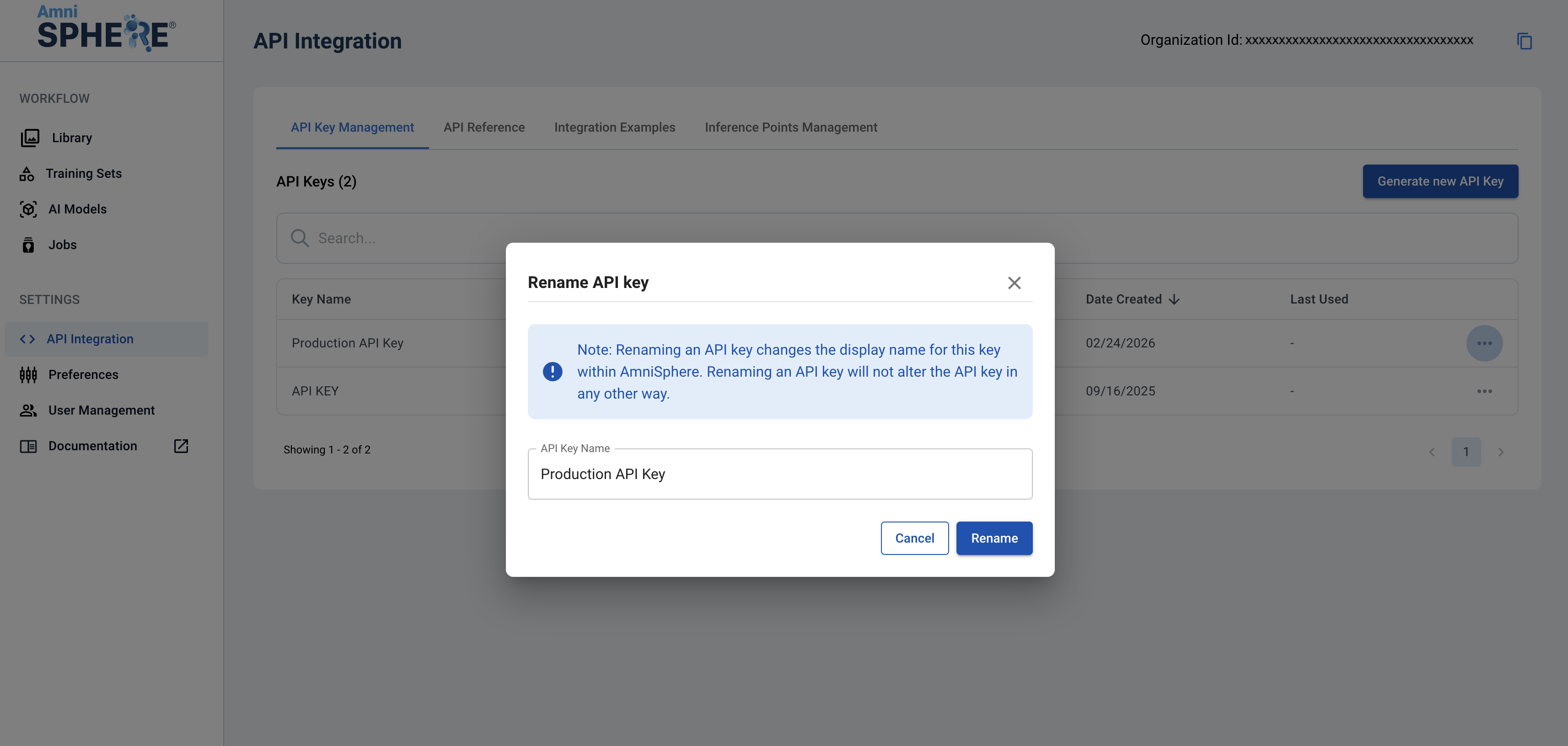
1Navigate to the API Integration Tab
After logging in using your Amniscient credentials, navigate to the API Integration tab. The API Key Management sub-tab is where you can generate and manage API keys for your organization.
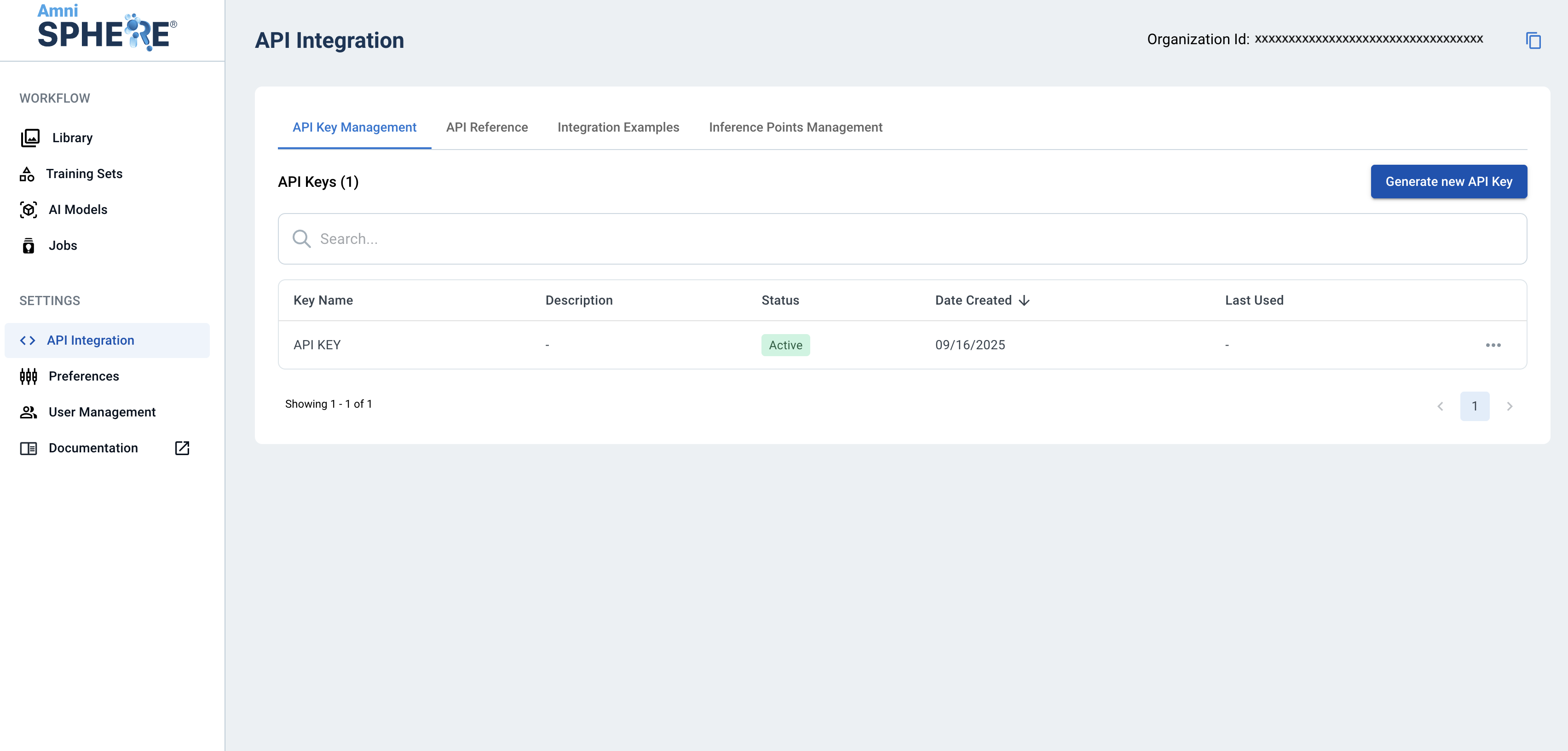
2Rename API Key
On the API key you’d like to rename, click on the three dots to view additional options. Click on the “Rename” button.
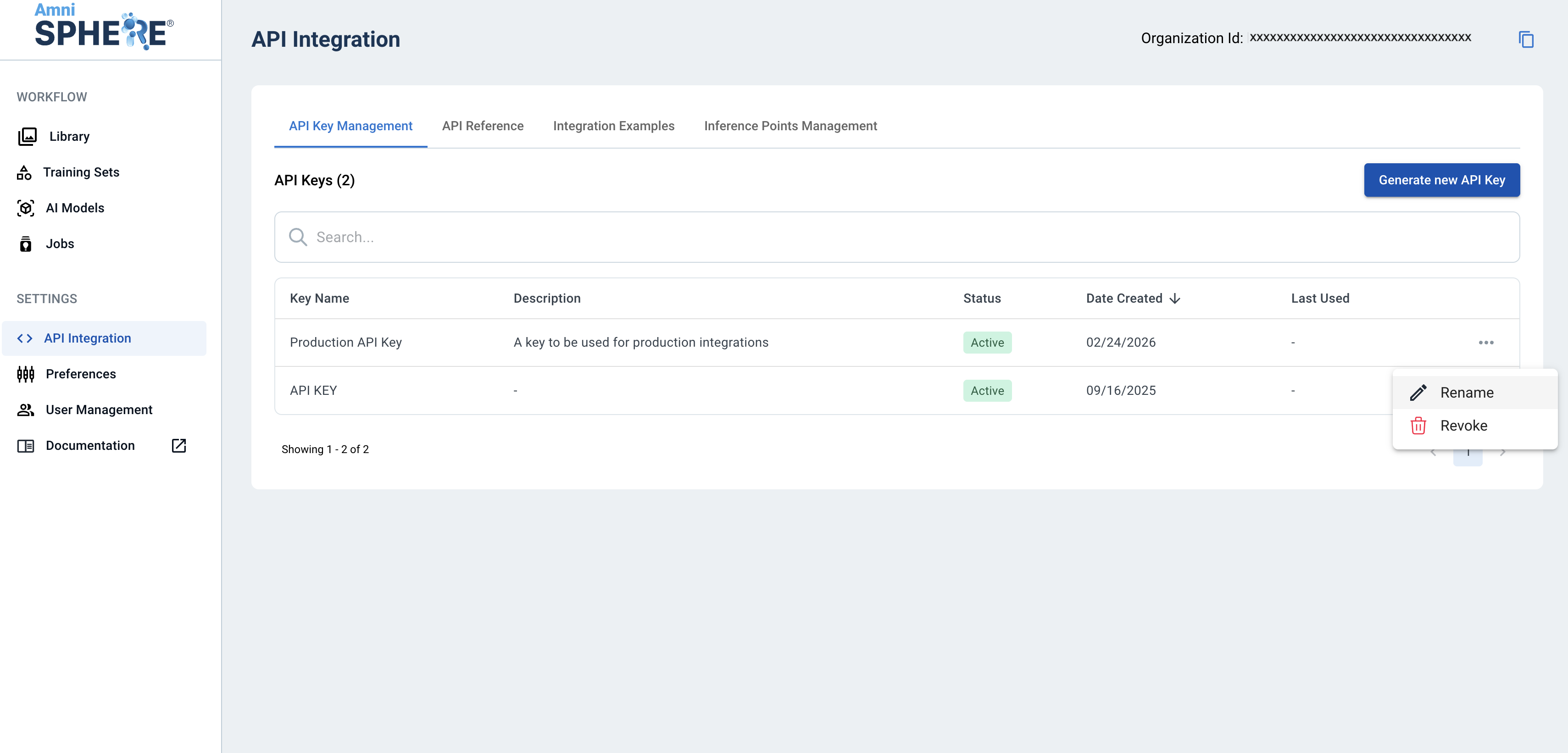
3Confirm Rename
A modal will appear with the ability to change the name of your API key. Note that renaming an API key does not change anything else about the key, and will not affect any existing integrations. To confirm the new name for your API key, click on the “Rename” button.