

How to Revoke an API Key on AmniSphere Web
Navigate to the API Integration Tab
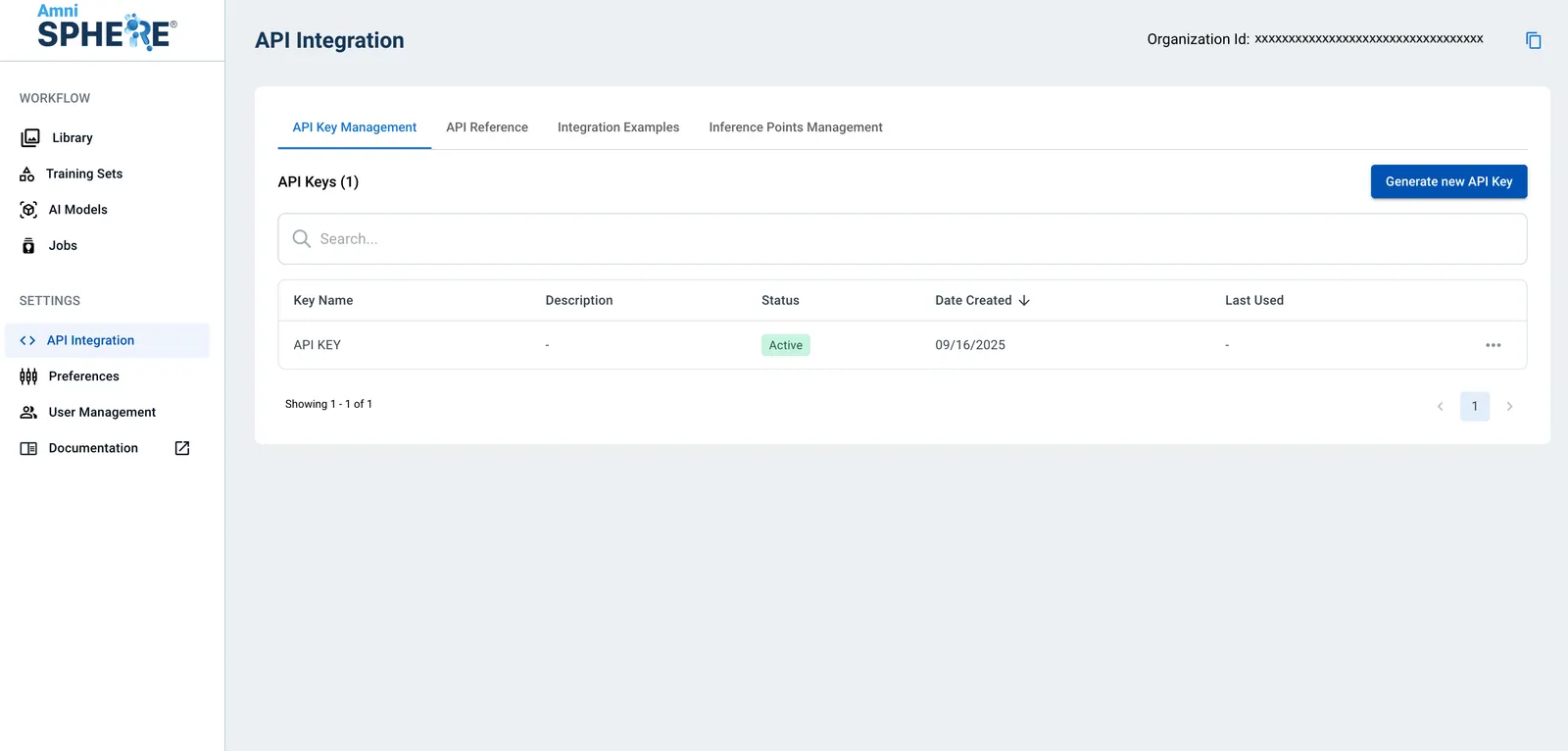
After logging in using your Amniscient credentials, navigate to the API Integration tab. The API Key Management sub-tab is where you can generate and manage API keys for your organization.
Revoke API Key
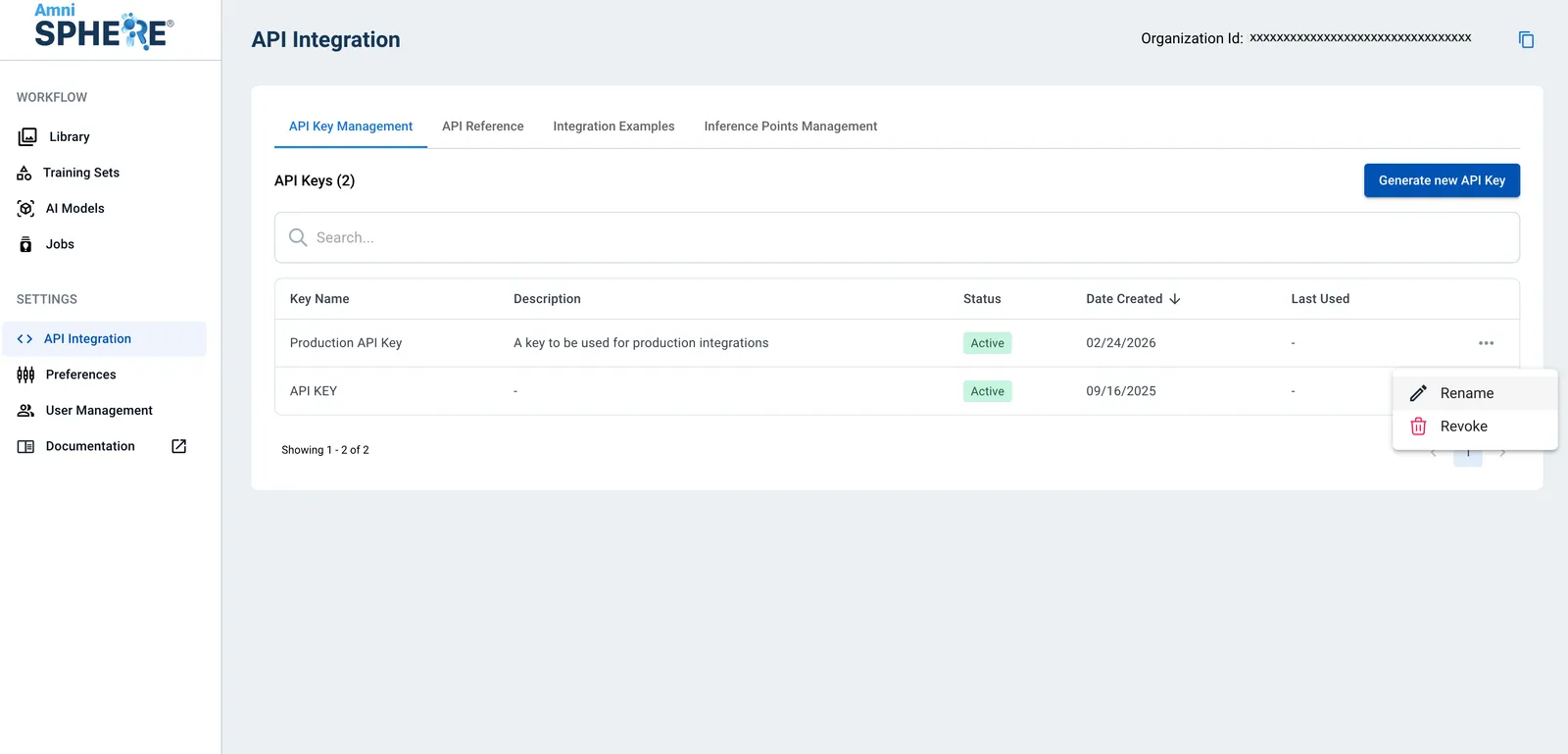
On the API key you’d like to revoke, click on the three dots to view additional options. Click on the “Revoke” button.
Confirm Revoke
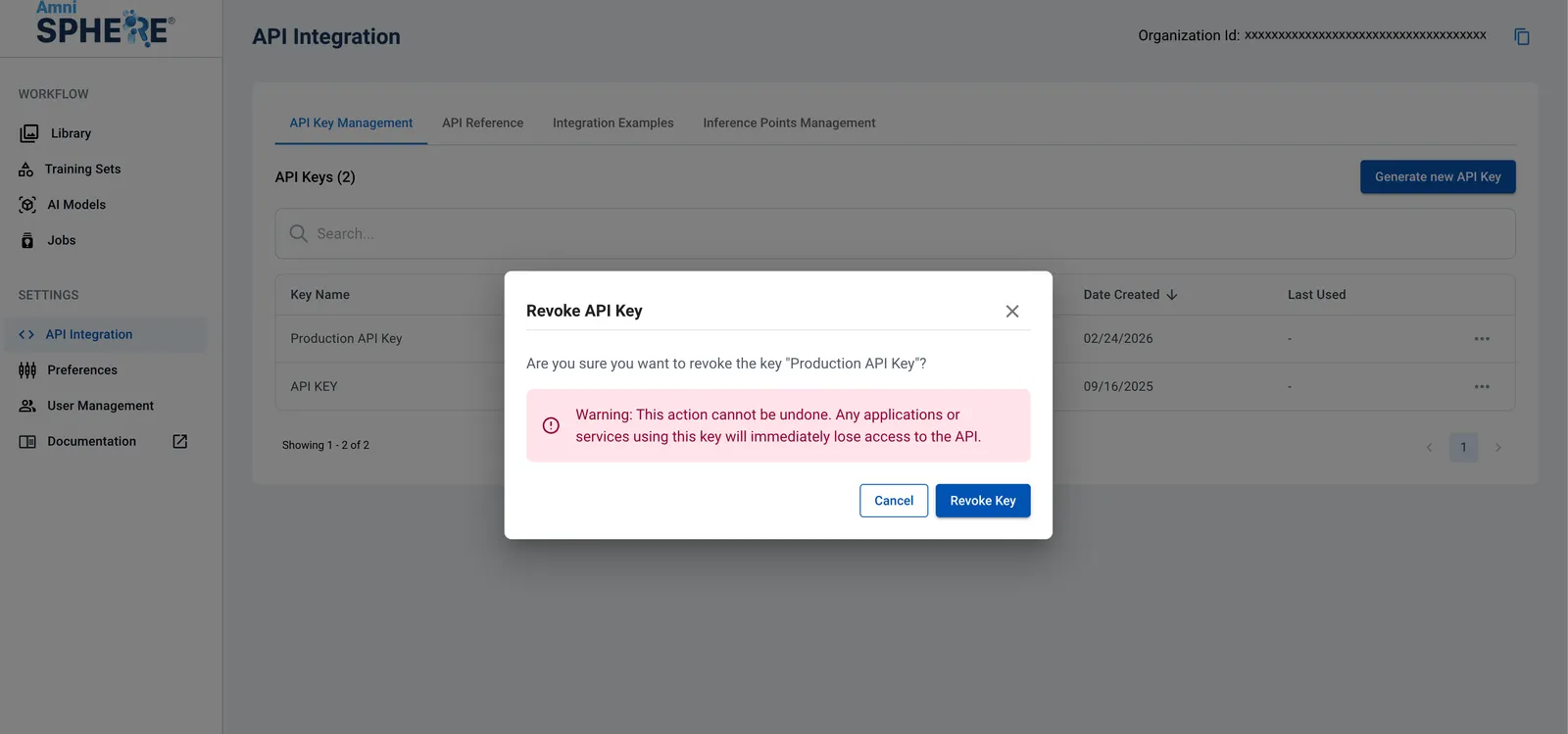
A modal will appear to confirm that you’d like to revoke this particular key. Note that once an API key is revoked, it cannot be recovered. Revoking an active API key will affect all existing integrations using that API key. To confirm that you’d like to revoke this API key, click on the “Revoke Key” button.
This API key and references to it will be immediately removed from the AmniSphere platform.