How to Generate an API Key on AmniSphere Web
Navigate to the API Integration Tab
After logging in using your Amniscient credentials, navigate to the API Integration tab. The API Key Management sub-tab is where you can generate and manage API keys for your organization.
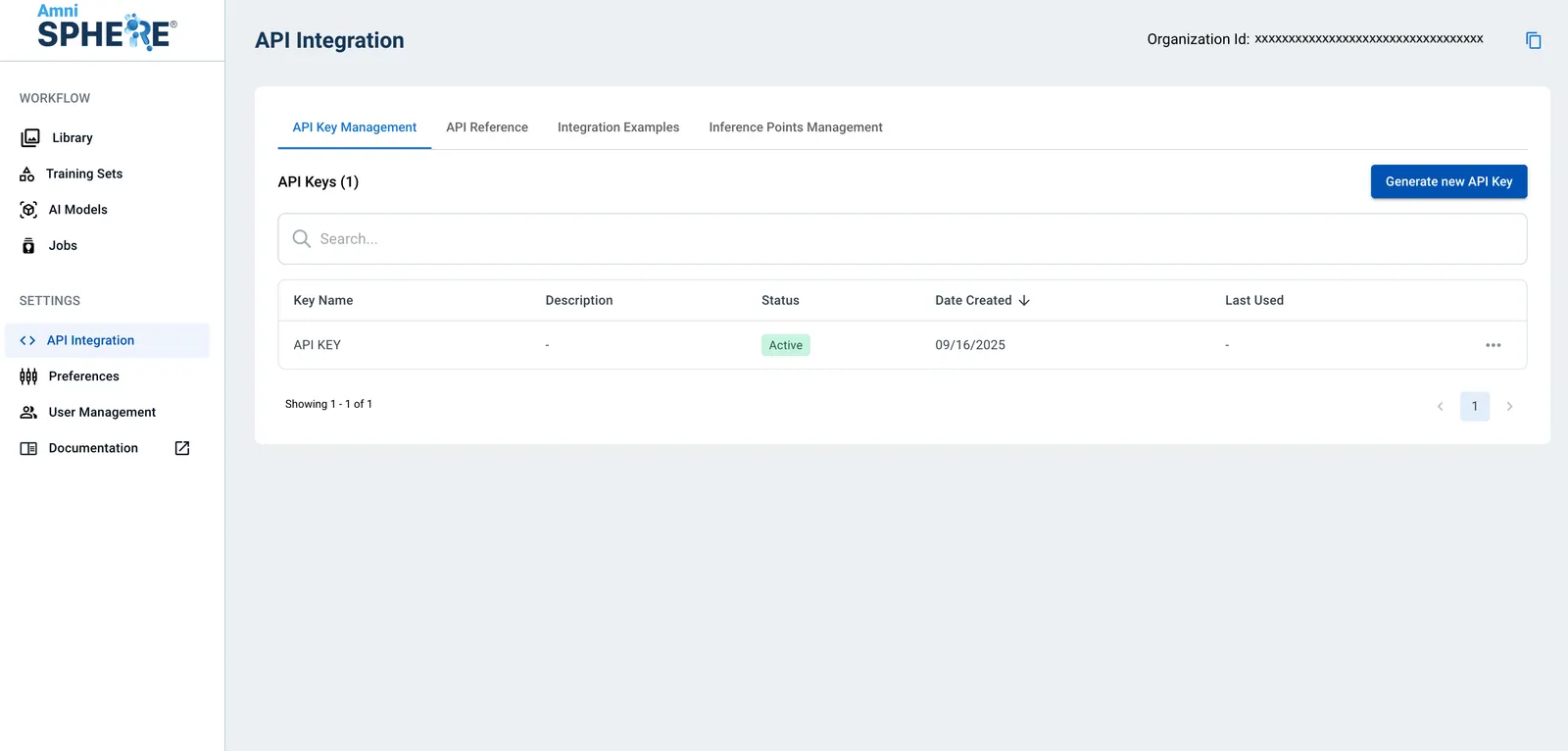
Generate API Key
Click on the “Generate new API Key” button. A modal will appear with a required name for your API key, and an optional description for the purpose of the new key. Once you’ve entered the required information, click on the “Generate Key” button.
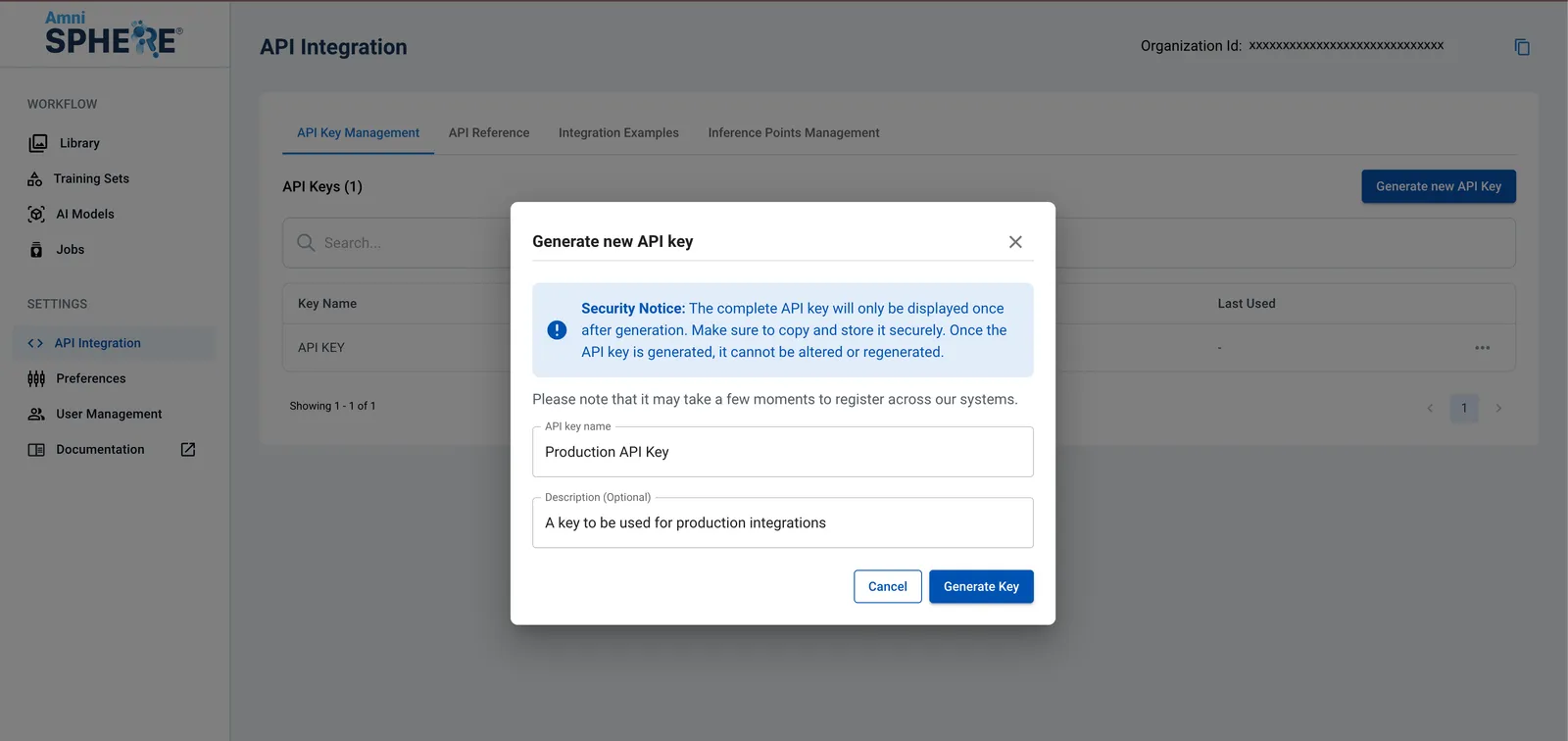
It may take a few minutes to generate your new key and register it across our platform. Once your key is successfully generated, a notification will appear with the option to view your newly generated key.
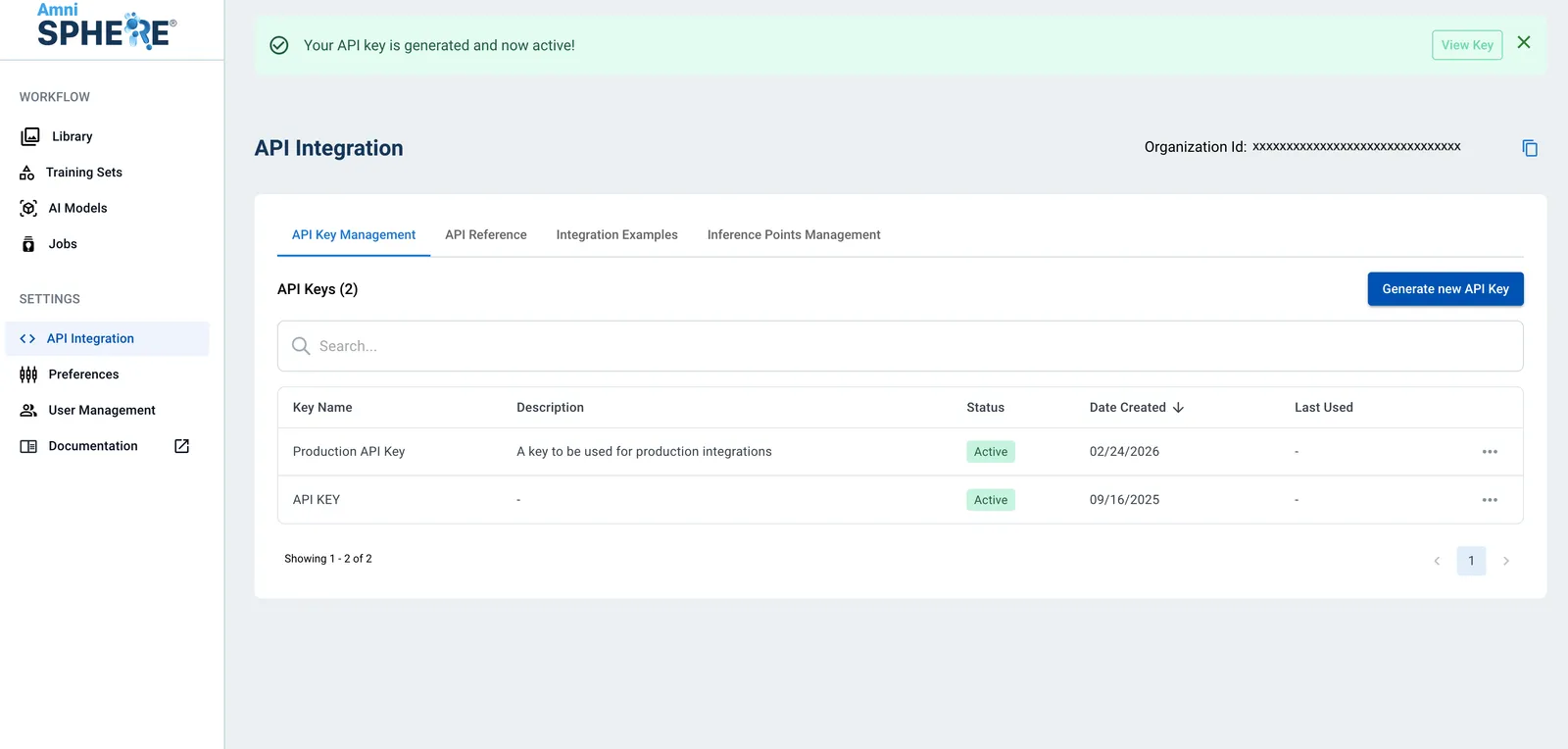
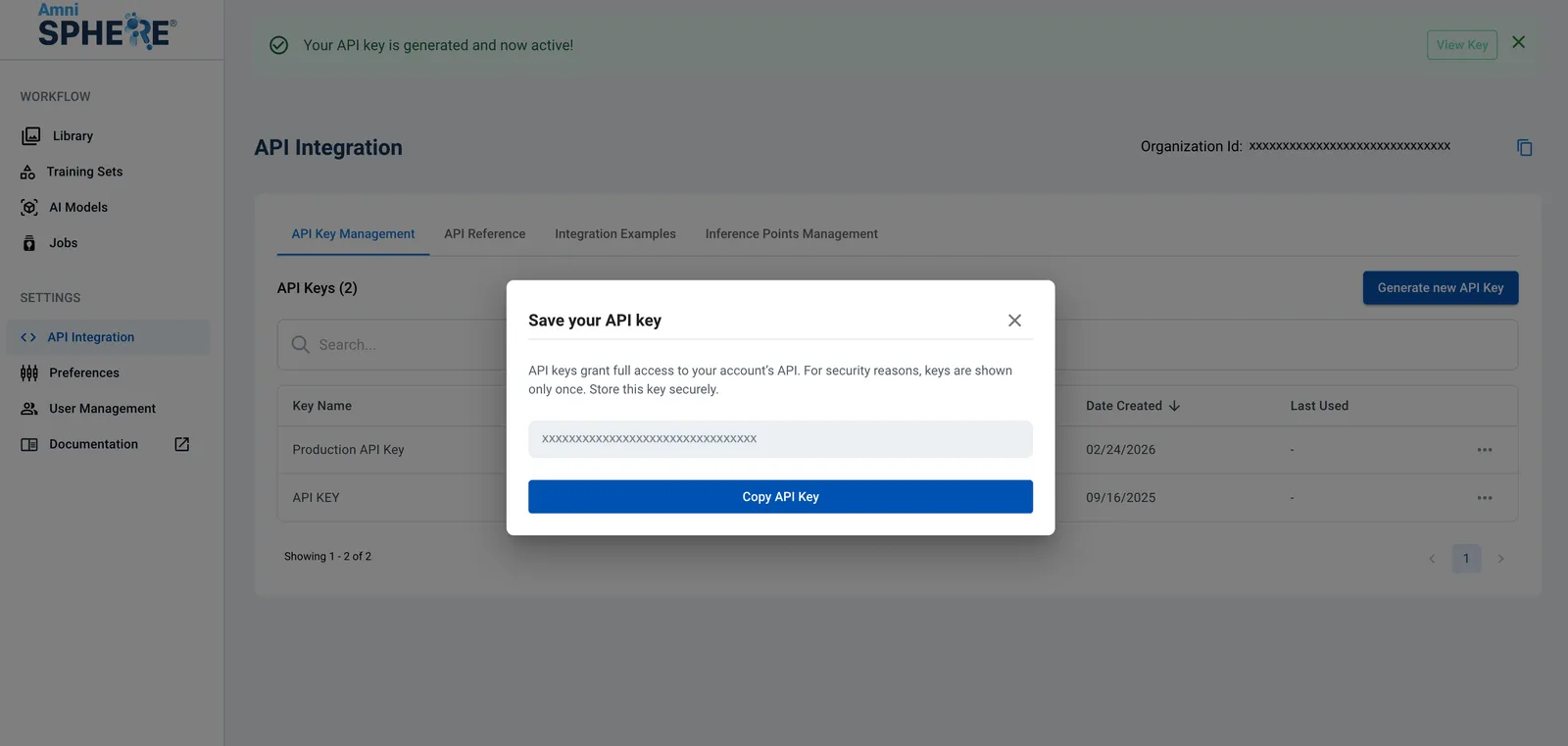
Securely Store API Key
Once you click on the “View Key” button, your newly generated API key will appear in a modal. Before closing this modal, remember to securely store your API key for development. This is the only time your API key will appear on our platform! Note that we cannot recover your API key if it is lost.