How to Add an Object on AmniSphere Web
Navigate to the Objects Tab
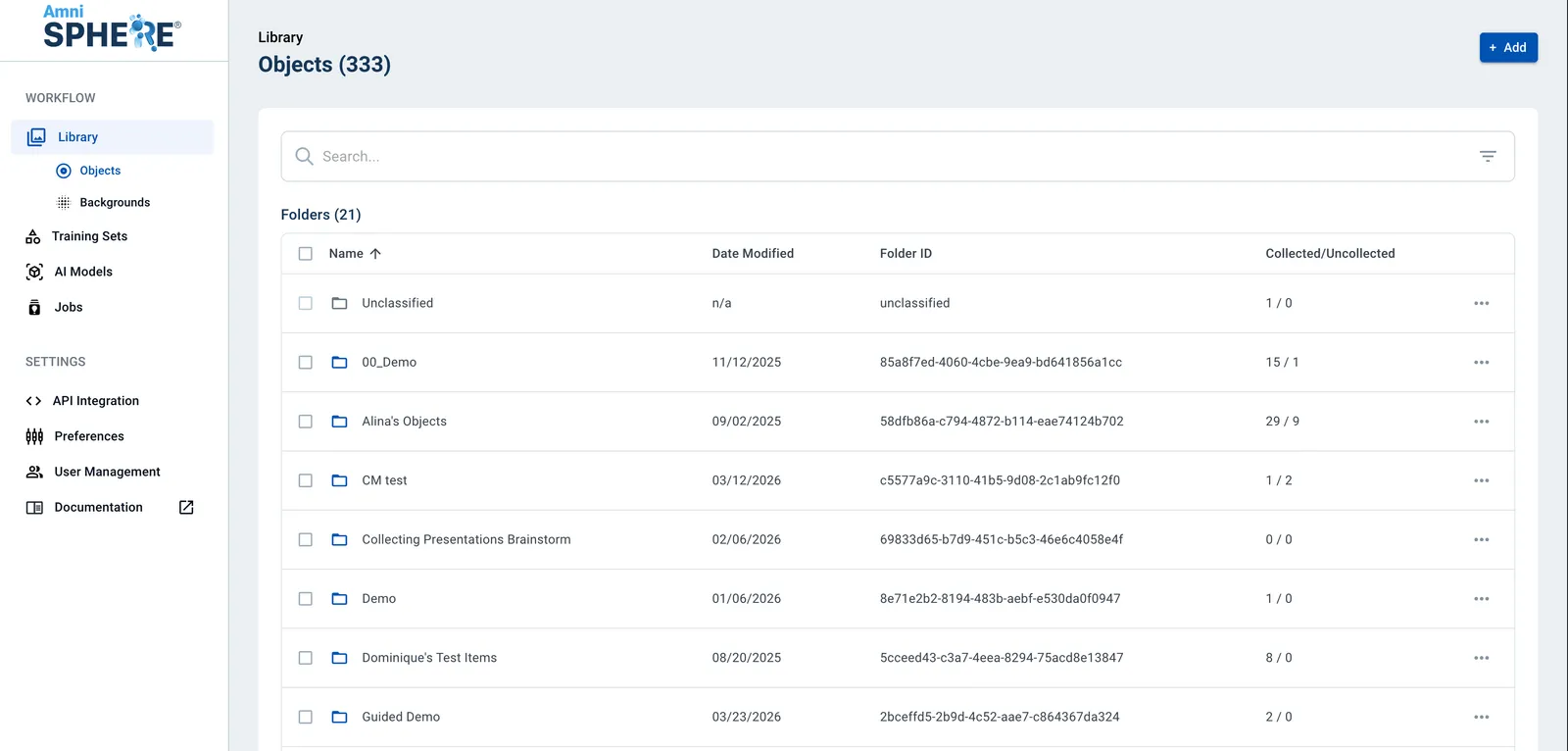
After logging in using your Amniscient credentials, navigate to the Library tab. Make sure you are within the Objects sub-tab. In this tab you can view, edit, and search for objects.
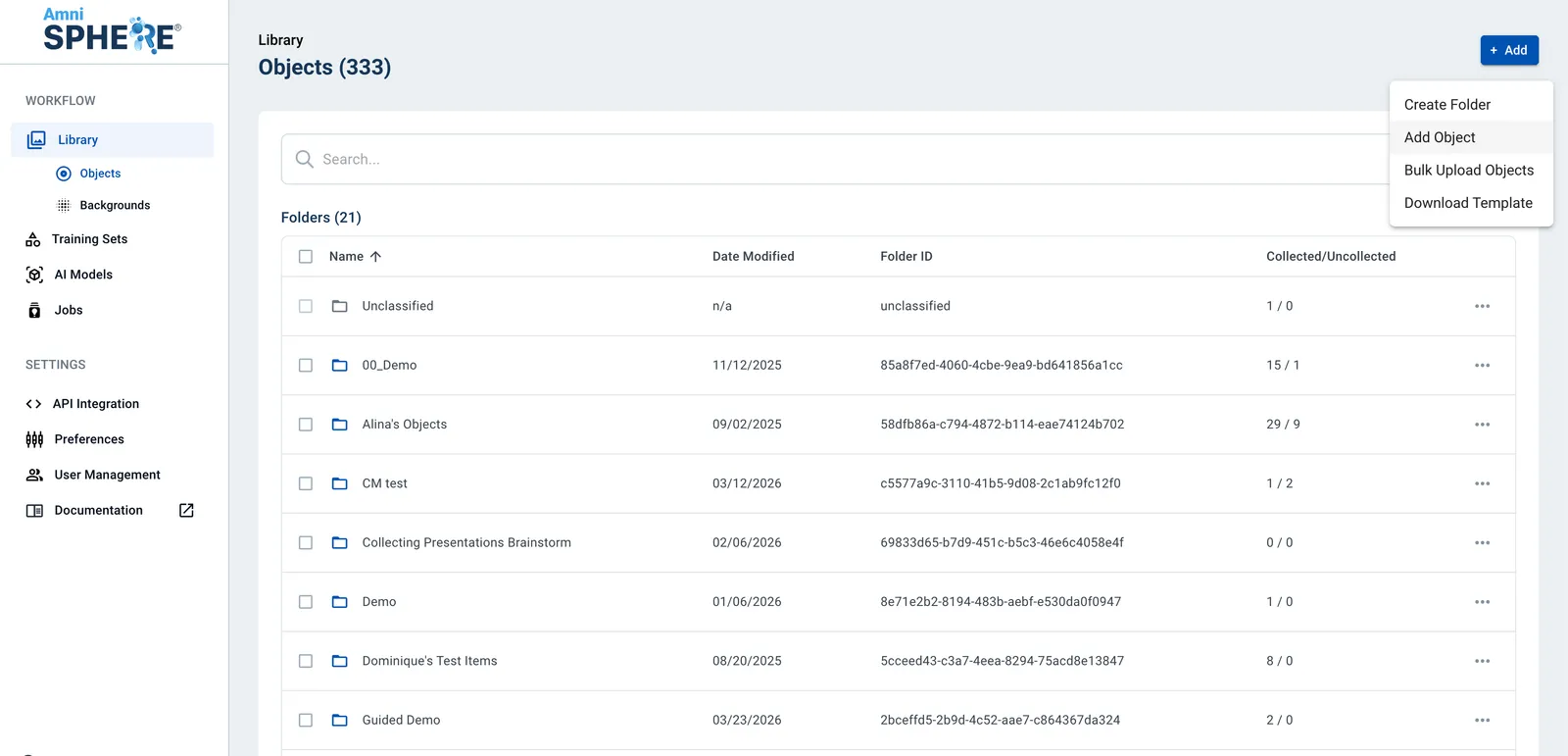
Add an Object
Click on the “Add” button in the upper right corner. Once the dropdown appears, click on “Add Object”.
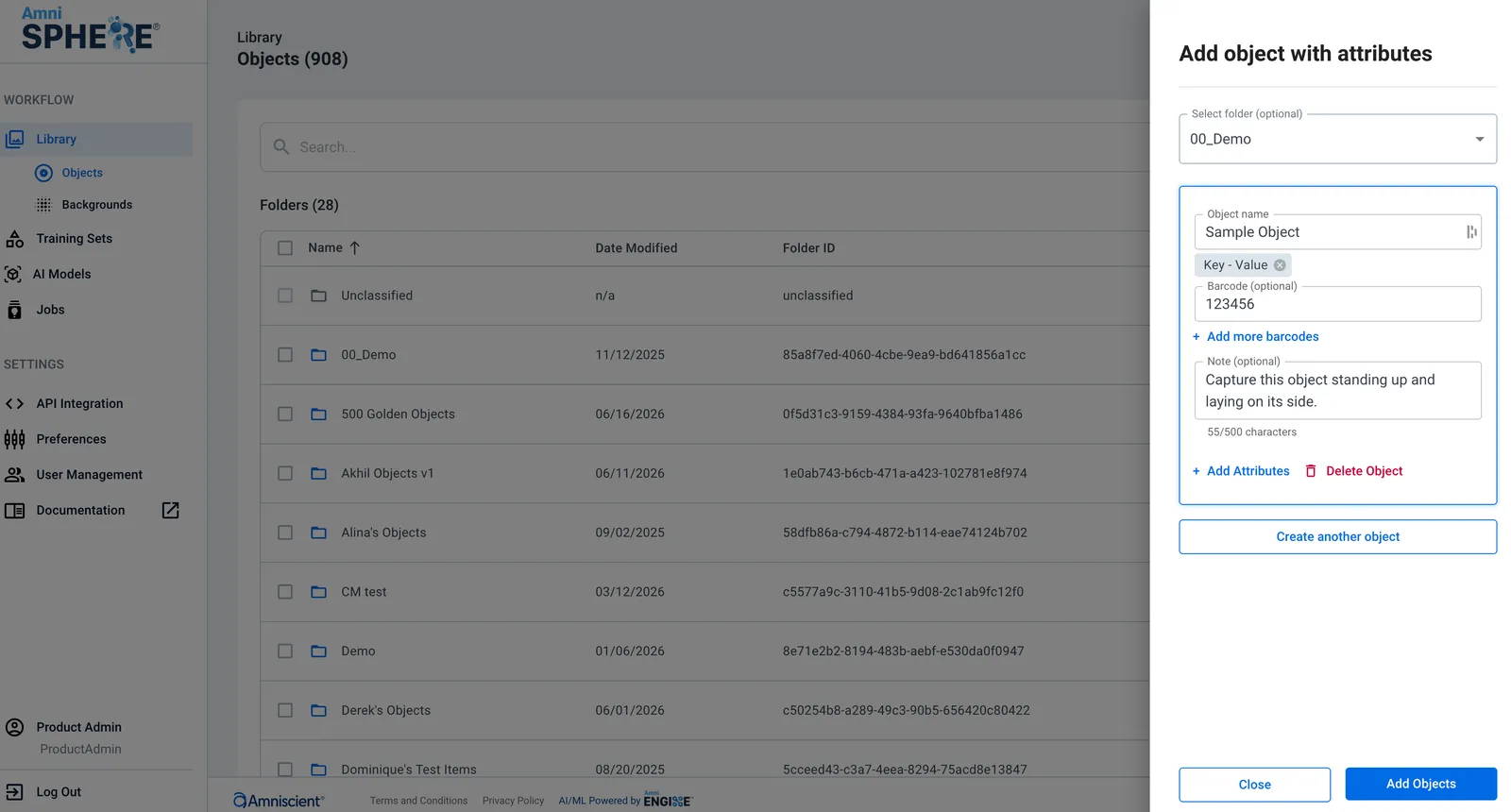
Enter Object Details
Enter your object name and at least one attribute with a key and a value. Optionally, you can also add this object to an existing folder and add a collection note. If you do not add your object to an existing folder on creation, it will be placed in the “Unclassified” folder by default. If you would like to allow for your object to be searchable by barcode on the iOS app, enter at least one value in the barcode value for your object. You can enter multiple barcodes for a single object.
Click on “Add Object” and you will receive a pop up notifying you that your object was created! You will now be able to view your object within your Library on the AmniSphere web platform and within the AmniSphere iOS app.